Control macOS with a gaming controller
 Recontrol

Current version: 2.0 (Feb 2026)
For any feedback, bug reports, questions, or feature requests, feel free to contact me at [email protected]. I'm always eager to hear your thoughts!
Recontrol is a macOS app that lets you easily map your gaming controller inputs to mouse and keyboard inputs so that you can control games and applications that don’t have gamepad support.
Recontrol aims to replace apps like Enjoyability and Joystick Mapper which tend to be unmaintained or have fatal errors.
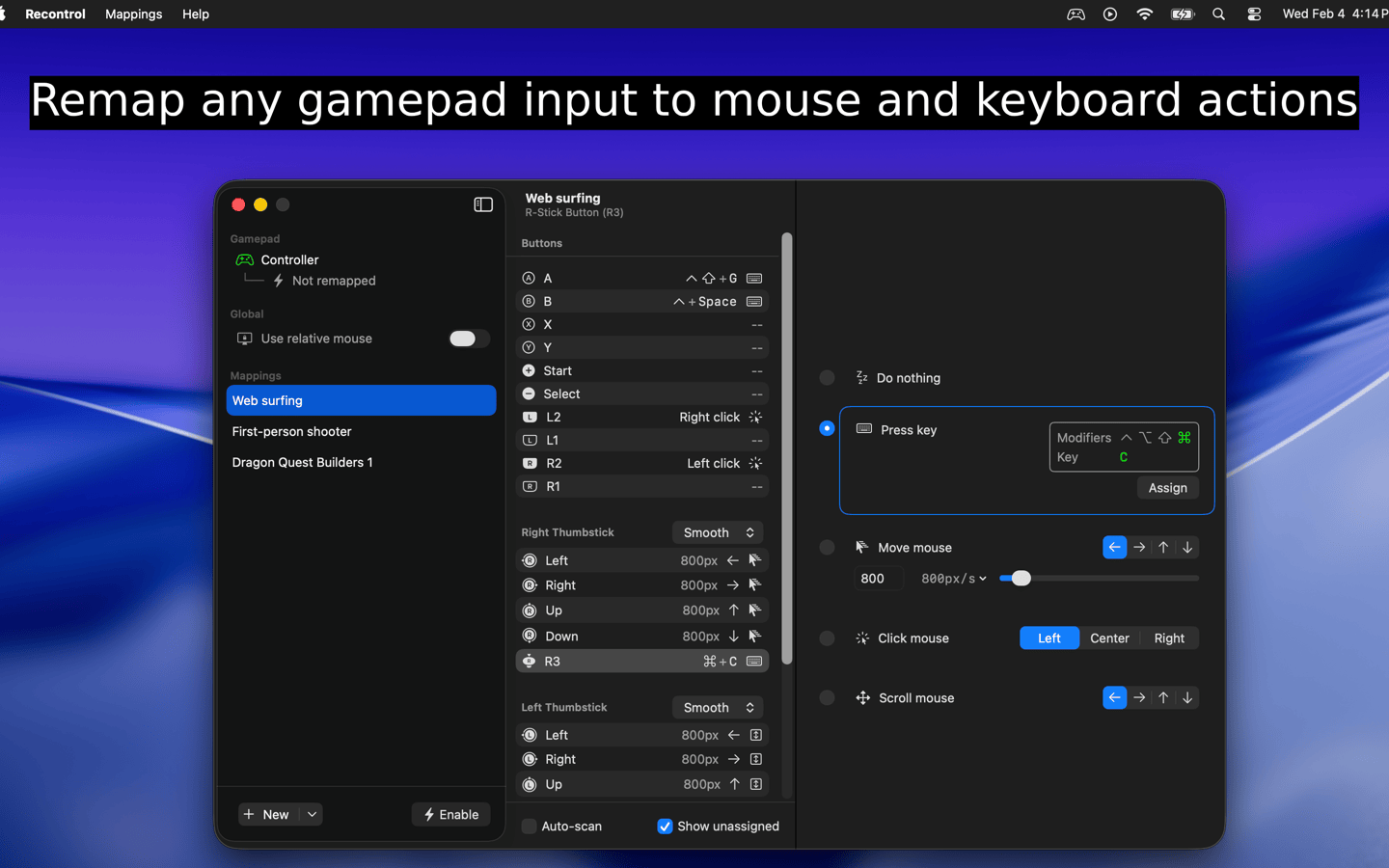
Table of contents
Caveats
Recontrol is still in active development and is seeking early user feedback. As a result, its initial release has some caveats that users should be aware of:
- Only one monitor is officially supported.
- Only supports one controller at a time.
Features
- Smooth mouse movement.
- Map all four thumbstick directions independently.
- Swap and edit mappings on the fly without having to pause/restart the engine.
- Relative mouse mode.
- Map any input to any keyboard key + any combination of modifier keys (cmd, shift, option, ctrl).
- Scrolling and mouse movement are eased so that small gamepad inputs become small mouse movements and large gamepad inputs become large mouse movements.
- Smooth vs 8-Way thumbstick modes: use Smooth for mouse control, 8-Way for D-pad style inputs. (v2.0)
- Per-gamepad settings: click a controller in the sidebar to configure deadzone and calibration. (v2.0)
- Calibrate gamepad to detect and fix thumbstick drift. (v2.0)
- Supports right-side modifier keys (Right-Cmd, Right-Shift, etc.) and macOS system keys (Play/Pause, Brightness). (v2.0)
- Modifier-only key combos (e.g. map a trigger to just Shift). (v2.0)
- Import/export mappings as JSON. (v2.0)
- Response curve options for mouse input (linear and exponential). (v2.0)
- Runs at native refresh rate instead of fixed 60 FPS. (v2.0)
- Auto-enable a mapping when a controller connects. (v2.0)
User manual
View the user manual: /user-manual