Thumbstick modes (v2.0)
Each thumbstick can operate in one of two modes. Use the dropdown next to each thumbstick section to switch modes.
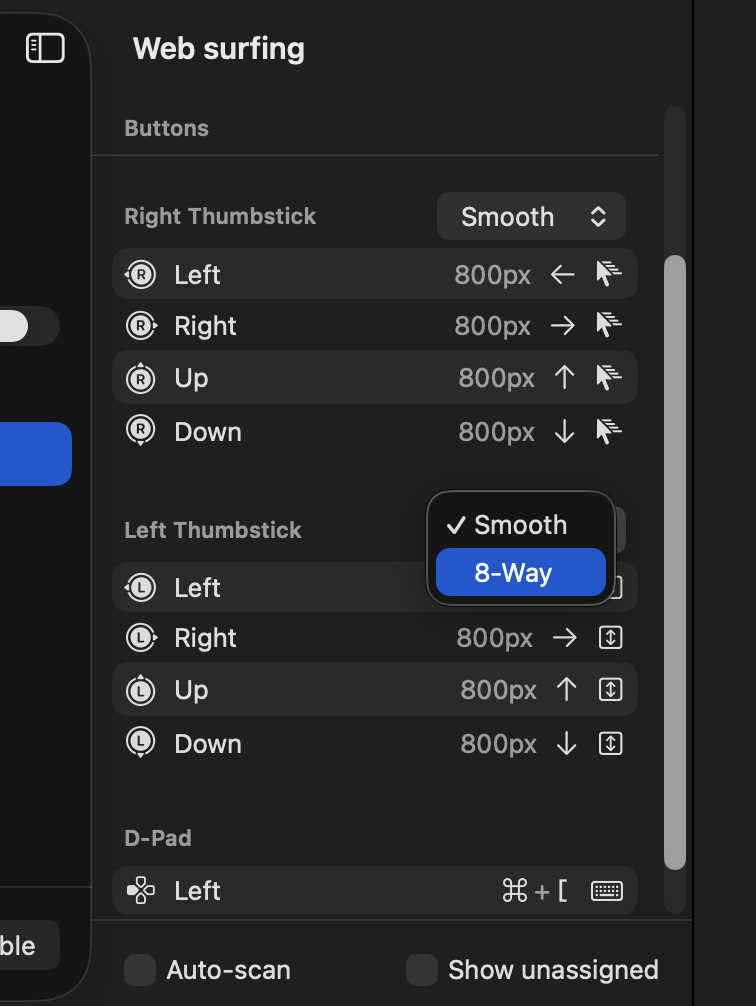
Smooth mode
The thumbstick input is continuous in all directions. The further you push, the faster the output.
Use Smooth mode for: Mouse control, camera movement, or any input where you want analog precision.
8-Way mode
The thumbstick is divided into 8 equal directions: up, down, left, right, and the four diagonals. Each direction covers a 45° wedge.
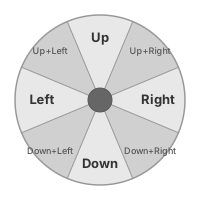
Use 8-Way mode for: D-pad style controls where you want to easily and reliably hit isolated directions without accidentally triggering adjacent inputs.
This is especially useful when mapping thumbstick directions to discrete key presses (like WASD) rather than mouse movement.